Moving from Windows? Your muscle memory works.
Same idea, Mac keys. Your clipboard history opens right next to what you're doing, not in a separate app.
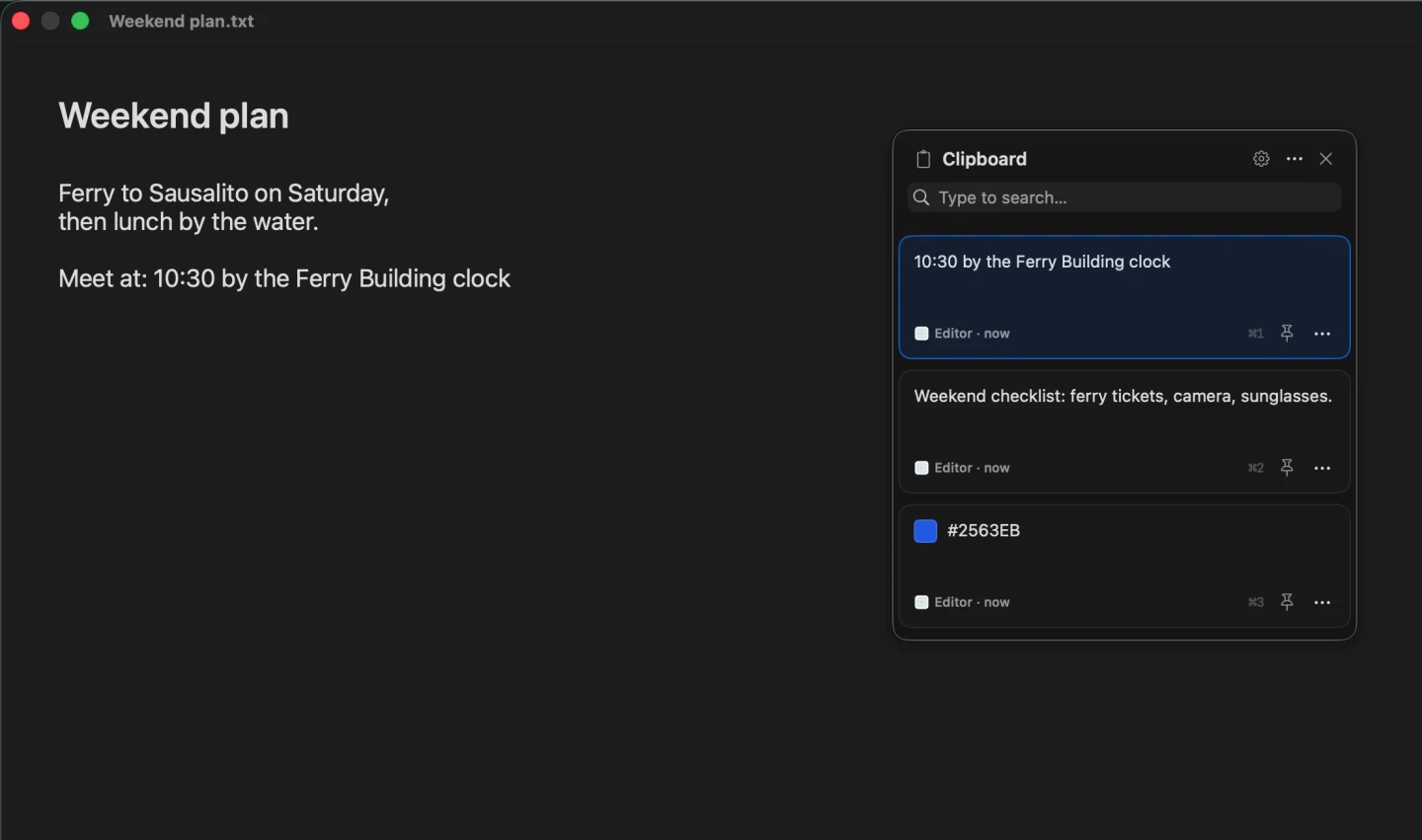
The real panel: newest copies first, with the search field at the top.
Everything Win+V does, and a bit more
Text, images and files
Newest first, with thumbnails, and where and when you copied each one.
Pastes for you
Arrow keys and Return or ⌘V, or a click. ⌘1 to ⌘9 paste the nine newest.
Pins
Keep the snippets you reuse at the top. Pins survive clearing history.
Type to search
Click the search field or just start typing. Show the field always, only while you type, or never.
Plain text on demand
Paste without the fonts and colours, once or always.
Colour swatches
Copy a hex code like #FF8800 and see the colour on its card.
Put it where you like.
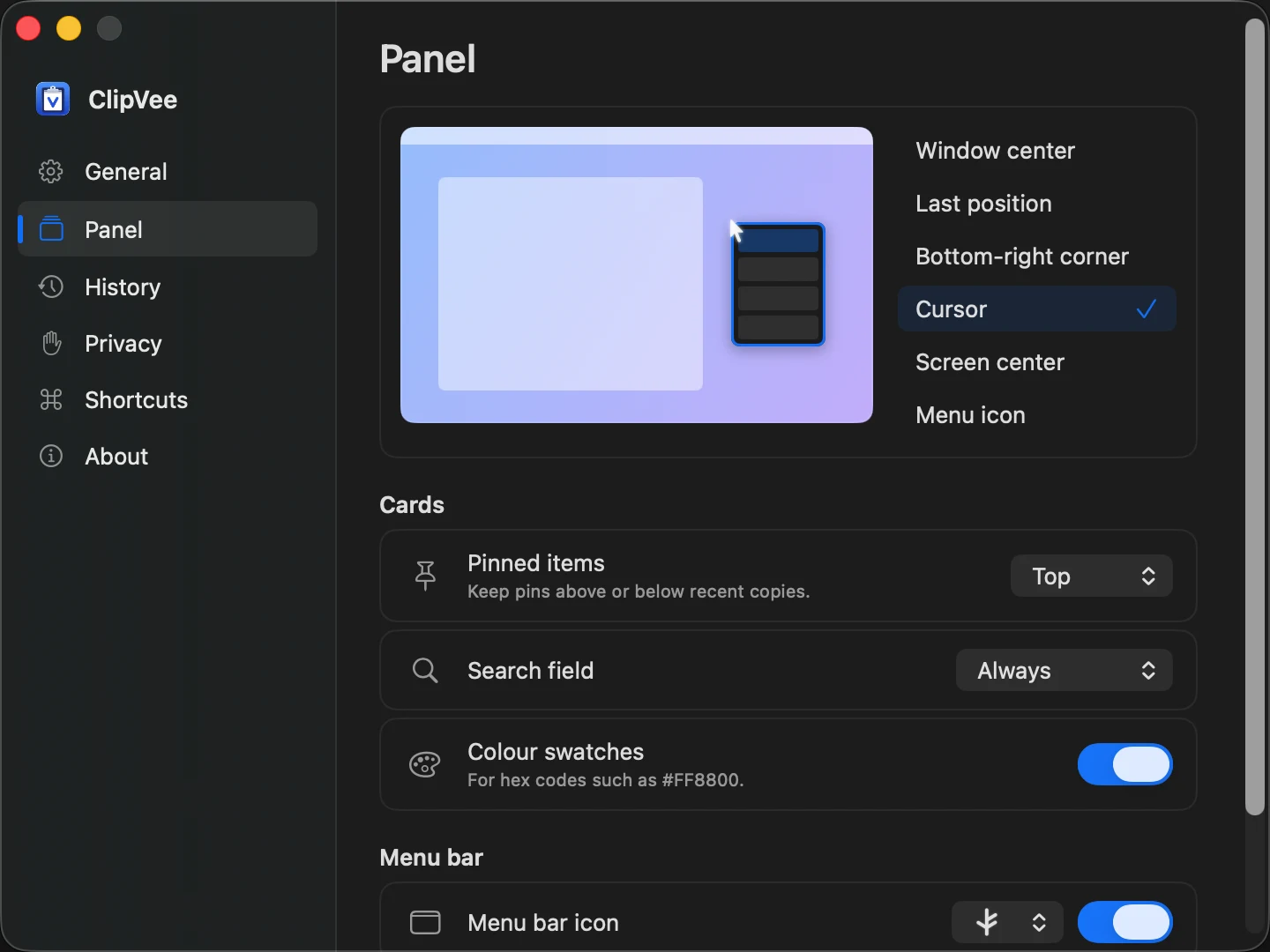
Choose where the panel opens from a picture of your screen, or drag it once and it remembers.
- In the middle of the window you're in
- At the pointer, or in the middle of the screen
- By the menu bar icon, or the bottom-right corner
- Wherever you last dragged it
Your clipboard stays on your Mac.
ClipVee runs in Apple's app sandbox without network access, so the app itself can't reach the internet. No account, no analytics, no cloud.
- Content marked sensitive or temporary by supported apps is skipped
- Passwords copied as ordinary text can still be saved. Ignore the source app, pause history, or skip the next copy when needed
- The only thing that goes online is a separate updater, which asks GitHub for the latest version once a day, if you allow it
- Everything is open source, so anyone can check
$ codesign -d --entitlements - ClipVee.app
✓ app-sandbox
✓ files.user-selected.read-only
✗ network.client   not requested
✗ network.server   not requested
Get started
Prefer to build it yourself? Build ClipVee from source.
Questions
Why does macOS warn me when I first open it?
ClipVee isn't notarised by Apple yet, so macOS asks you to approve it once with Open Anyway. The source is on GitHub if you'd like to check it first.
Why does it need Accessibility access?
To paste for you, ClipVee presses ⌘ V in the app you were using, which macOS only allows with Accessibility on. Without it, choosing a card only copies it. If pasting stops after an update, remove ClipVee from the Accessibility list and add it again.
Why aren't new copies appearing?
Check whether history is paused, then Settings → History and Settings → Privacy, which can leave out apps and clipboard types. Copies made while paused aren't recovered.
How long does ClipVee keep my copies?
The newest 200 unpinned items by default, kept across restarts. Change it in Settings → History. Pins stay until you remove them.
Can I pause history?
Yes, from the panel's … menu, or Option-click the menu bar icon. Option-Shift-click skips just the next copy. Your saved copies stay.
How do I update it?
If you allow it, ClipVee checks once a day and shows an update button in the panel. You can also click Check now in Settings → General. Your history and settings carry over. See the release notes.
Can I change the shortcut?
Yes, in Settings → Shortcuts. Settings → General decides whether choosing a card pastes it or only copies it.
Doesn't macOS already have clipboard history?
Spotlight has clipboard history from macOS 26 Tahoe. ClipVee works from macOS 14, opens next to what you're doing, pastes for you, and adds pins, image thumbnails and ⌘1–⌘9.
Is it really free?
Yes. ClipVee is open source under the MIT licence, with no paid version, account or subscription.
How is it related to Maccy?
ClipVee is built on Maccy, an open-source clipboard manager by Alex Rodionov. It keeps Maccy's clipboard capture and storage, and replaces its menu with a panel of cards that pastes for you.